





In basic factory automation, selecting the right controller is not merely about comparing the number of inputs and outputs. Factors such as whether the machine will operate independently or within a production line, its motion axes, safety functions, network topology, operator interface, data sharing capabilities, and potential for future expansion also play a crucial role in this decision-making process. Within Siemens’ portfolio, LOGO! 9 is designed for compact, everyday automation tasks, while SIMATIC S7-1200 G2 is better suited for more complex machine and plant applications. This guide examines these two product families not through a one-dimensional comparison of “small vs. large PLCs,” but rather in terms of their application scope, engineering tools, and life cycle considerations.
The key decision between LOGO! 9 and SIMATIC S7-1200 G2
LOGO! 9 is a logic module designed to manage limited tasks such as pumping, lighting, ventilation, door control, small machinery, timing functions, and basic monitoring in an economical and intuitive manner. It represents a strong starting point when the application involves a single control panel or a single piece of equipment, when the functions are well-defined, and when no complex distributed architectures are required. SIMATIC S7-1200 G2, on the other hand, is designed for machine automation applications that necessitate PROFINET-enabled devices, more extensive programming capabilities, advanced diagnostic functions, controlled motion systems, or fail-safe options.
The selection should not be based solely on the current number of I/O points. A machine that initially starts with eight inputs and four outputs may later require servo axes, remote I/O, or centralized recipe management functions. Conversely, an independent system that merely uses two fans controlled by schedule and temperature settings may end up with an unnecessarily complex control architecture, resulting in increased maintenance requirements. It is essential to establish control requirements first and then select the appropriate product family based on those requirements, as well as the system’s performance, connectivity, and lifecycle considerations.
| Decision criterion | Suitable scope for LOGO! 9 | Suitable scope for SIMATIC S7-1200 G2 |
|---|---|---|
| Application scale | Independent, limited, and clearly defined daily automation processes. | Automation that can be expanded within a machine, cell, or line. |
| Engineering | With LOGO! Soft Comfort V9, it is possible to perform graphic programming, simulation, and circuit documentation. | In TIA Portal, STEP 7 provides integrated management of hardware, networks, diagnostics, and programming. |
| Communication | Ethernet, Modbus TCP/IP, Modbus RTU, and MQTT; depending on the selected device and configuration. | Broader machine integration, including PROFINET, an integrated web server and Web API; dependent on CPU variant |
| Movement and safety | Simple switching mechanisms cannot replace certified motion/safety control systems. | Options including single-axis, coordinated-axis, and simple kinematic configurations; available in fail-safe CPU families. |
| Operator interface | Local operation through a basic module with a display or LOGO! TDE | SIMATIC HMI and other more advanced visualization architectures enable scalability. |
| Decision to expand operations | Within the current module and system limitations of the LOGO! 9 family. | Open to distributed I/O, network devices, and more advanced control requirements. |
LOGO! 9: a new-generation logic module for compact everyday automation
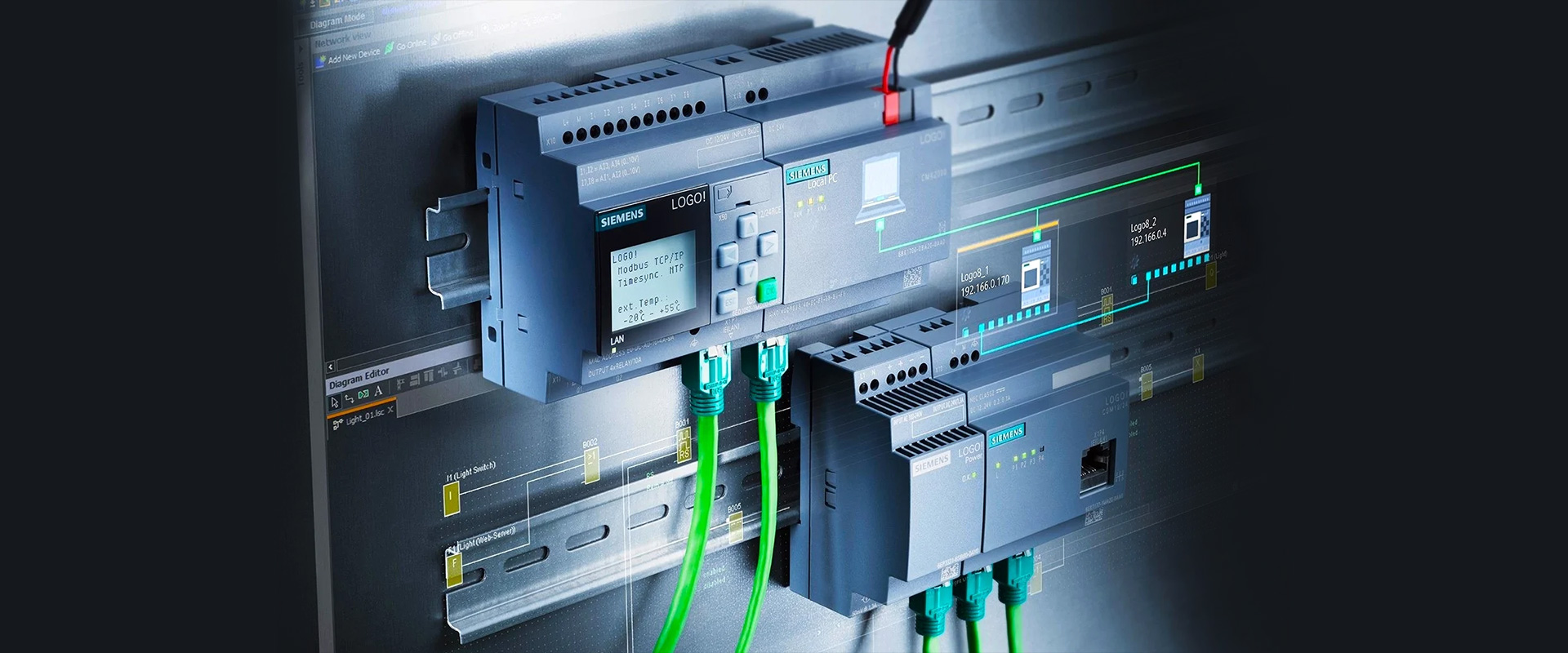
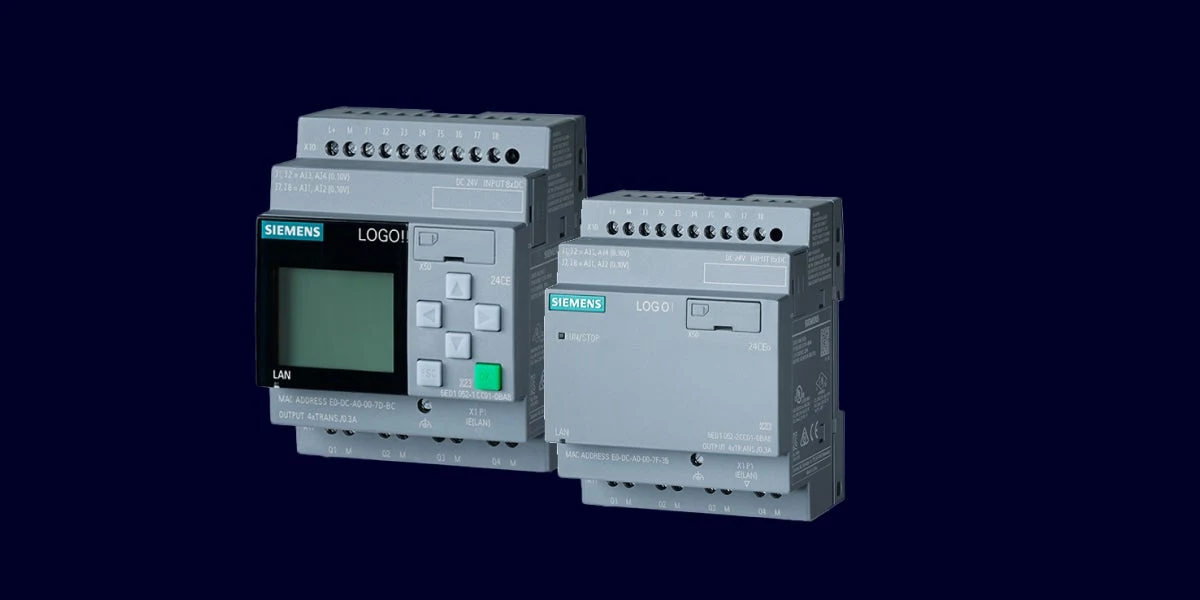
Siemens' current product page offers LOGO! 9 basic modules with and without displays. Each basic module has eight inputs, four outputs, an Ethernet connection and an expansion interface. The display variant includes a 2.4-inch colour touchscreen with 320 × 240 pixel resolution. These common features define the family; verify supply voltage, relay or semiconductor outputs, inputs usable as analogue channels and environmental ratings against the exact order number.
LOGO! 9 systems from Siemens can be expanded to include up to 16 expansion modules, 64 digital inputs, 60 digital outputs, 16 analog inputs, and 16 analog outputs, all within the overall capacity specifications published by Siemens. These figures do not represent the fixed number of channels available in a single basic module, nor do they imply that any combination is necessarily feasible. When considering these systems, it is essential to take into account factors such as module type, power supply, expansion slots, channel limitations, and the current availability of regional products. Expansion options listed in the initial product range, such as the DM8 12/24R, DM8 230R, and AM4 AI/AQ, should also be verified against the catalog available at the time of the project.
Program memory is specified for up to 800 function blocks, with floating-point support. This enables more detailed calculations in compact tasks, but cycle behaviour, data retention, communication load and fault response still require testing with the actual program. Sufficient function block capacity does not demonstrate application maintainability. Organise names, comments, state machines and alarm logic so the maintenance team can understand them.
When is LOGO! 9 communication sufficient?
Support for Ethernet, Modbus TCP/IP, Modbus RTU, and MQTT enables a small system to establish data communication with energy meters, drives, upper-layer software, or messaging infrastructure. However, the presence of a particular protocol in this list does not imply that all necessary configurations are already available. The role of LOGO! as a client or server, the type of data to be transmitted, the register mapping, the number of connections, the update interval, and the behavior in error scenarios must all be specified on a project-specific basis. When using MQTT, additional parameters such as the broker address, authentication requirements, certificates, the topic structure, and data management strategies in the event of a connection loss must also be defined.
Direct internet connection is not a recommended default architecture for a small controller. Provide controlled connections between machine and corporate networks, firewall rules, authorised users, backups and a software update process. Secure Boot and encrypted communication support protection but cannot compensate for poor network design or weak password management. Siemens' current LOGO! 9 page identifies four UMAC roles. Assign them to actual maintenance tasks and avoid shared user accounts.
LOGO! TDE: a local operator interface for small systems
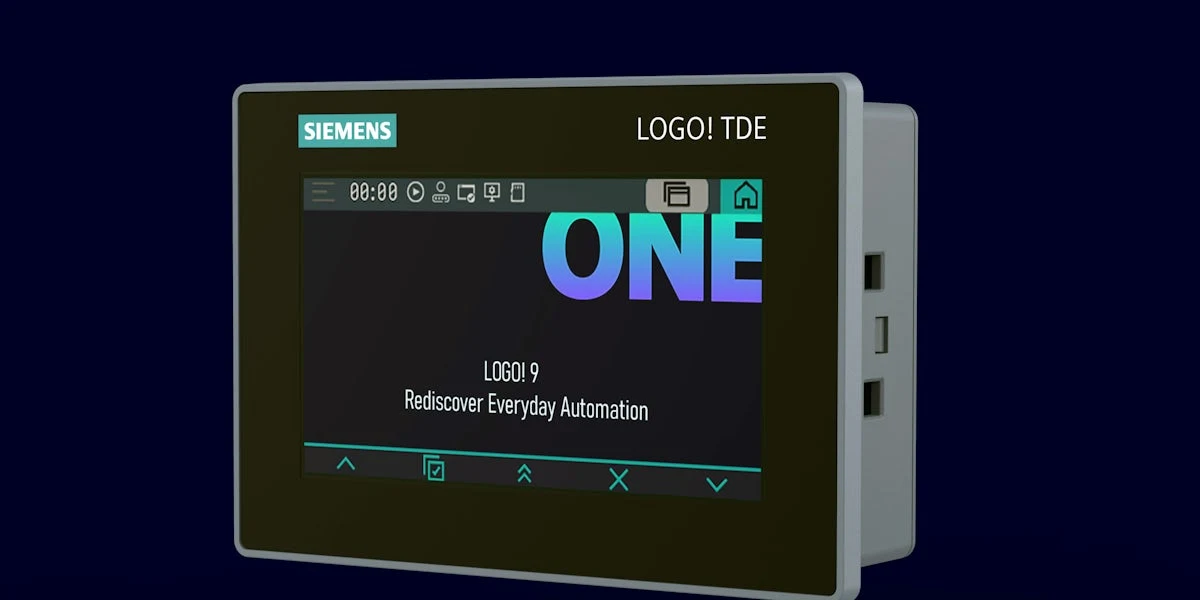
LOGO! TDE offers a 4.3-inch resistive colour touchscreen with 480 × 272 pixel resolution for the LOGO! 9 ecosystem. Images can make status and control screens easier to understand than text alone. LOGO! Soft Comfort V9 integrates configuration and simulation in the same workflow. Assess this panel for a limited machine's local status, settings and confirmation requirements, rather than as a replacement for a comprehensive SCADA platform.
According to the official product information, one LOGO! TDE communicates with one LOGO! 9 basic module at a time. Its two Ethernet ports offer connection flexibility; Siemens specifically restricts connecting both to the same local network because this can create a loop. Show each port's role clearly in the topology. Define permissions, allowed value ranges, write confirmations and communication-loss behaviour for every screen command. A displayed value does not by itself prove sensor accuracy or safe stopping.
SIMATIC S7-1200 G2: a broader control scope for machine automation
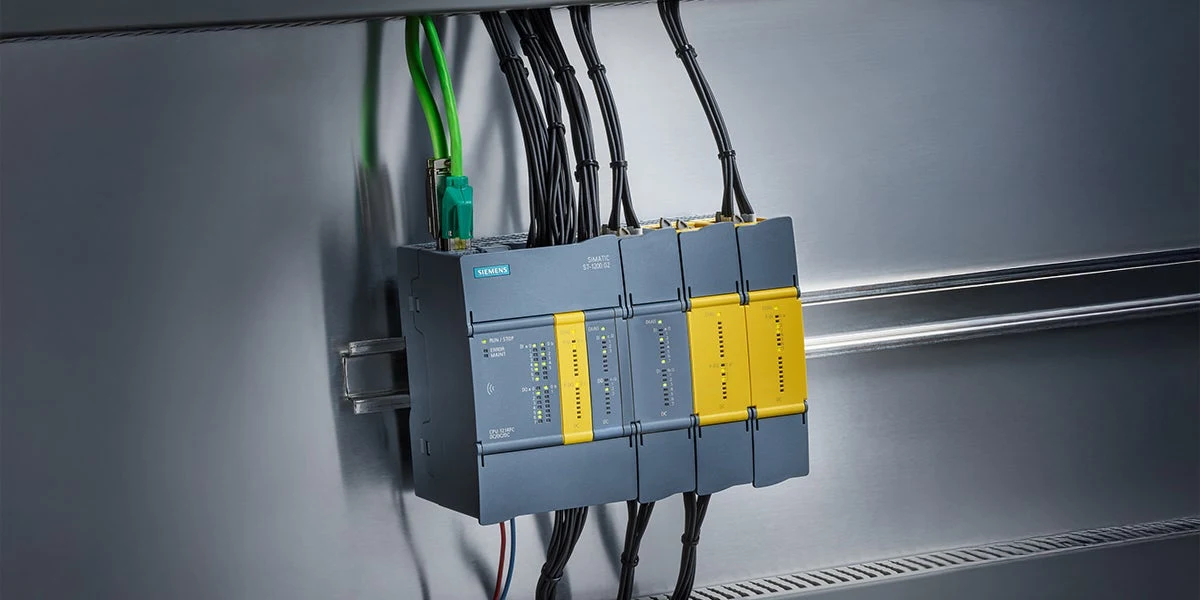
The SIMATIC S7-1200 G2 is Siemens’ new generation of compact PLCs in its basic automation range. Its enhanced processing power, memory capacity, and communication capabilities enable it to handle machine sequences, local and distributed I/O operations, diagnostic functions, as well as advanced connectivity in a single engineering environment. The product page highlights its suitability for applications involving single axes, as well as coordinated axes and simple kinematic tasks. It should be noted, however, that not all CPUs, drives, and technical components have identical specifications; the number of axes, cycle time, encoder capabilities, synchronization options, and licensing requirements are determined by the selected hardware and the TIA Portal software version used.
The fail-safe options of the S7-1200 G2 series enable the integration of standard and safety-related program components in a coherent engineering approach. However, the use of a yellow-colored module alone does not constitute a proper safety function. A comprehensive risk assessment, determination of the required performance level or SIL rating, selection of appropriate sensor architectures, definition of testing procedures, provision of safe outputs, consideration of the drive’s stop function, evaluation of response times, and maintenance of verification records are all essential for ensuring the overall safety of the system. The standard CPU option cannot be retrospectively converted into a fail-safe CPU simply by applying software modifications.
NFC access to device and diagnostic information can help maintenance staff check status quickly at the panel. The integrated web server and Web API extend servicing and data use. These conveniences do not remove the need for authorisation, network segmentation, secure mobile devices, certificates and event logs. Disable unused services and identify the operational owner and update responsibility for each enabled service.
Engineering tools are part of the maintenance model
LOGO! Soft Comfort V9
LOGO! Soft Comfort V9 enables users to organize tasks such as programming, simulation, documentation, and commissioning according to the specific requirements of LOGO! applications. Its support for Windows, macOS, and Linux helps teams integrate these tools into their standard computer environments. It should be noted that simulations do not accurately represent the actual electrical load of a system or all the dynamics of a process; they should be considered as a form of pre-commissioning logic check. In project archives, it is essential to retain backups of the software version, device firmware, passwords, and parameters.
TIA Portal and STEP 7
Manage S7-1200 G2 hardware, network configuration, programs and diagnostics in TIA Portal. Use LAD, FBD or SCL according to team standards and the nature of the function. Shared libraries, naming, alarm numbering and version rules make changes across a machine family easier to control. Opening a TIA Portal project does not prove that all device packages, drive objects and safety options are compatible on the target computer; record software and package versions at handover.
Two critical compatibility boundaries when migrating from earlier generations
SIMATIC S7-1200 G2 is not physically compatible with earlier S7-1200 hardware. Siemens states that most existing programs can be converted with small changes; this is not a promise of plug-and-play replacement. Recheck CPUs, signal modules, signal boards, communication modules, connectors, panel space and the TIA Portal version. After conversion, functionally test timing, technology objects, communication, retentive data and fault behaviour.
Similarly, a LOGO! 9 basic module must not be mixed with basic modules, expansion modules or TDE units from the previous LOGO! hardware family. Reusing previous projects in LOGO! Soft Comfort V9 does not mean older expansion hardware can connect to the new basic module. Siemens identifies reuse options for certain communication modules; decide using the exact module code, firmware, current compatibility table and product version at the project date.
Key considerations for I/O and electrical selection
- Power supply: Specify the nominal voltage, tolerance, initial starting current, fusing capacity, and common reference value for both the controller and the field loads.
- Output type: Compare the output characteristics of relays and transistors in terms of switching frequency, load type, leakage current, lifespan, and required protection measures.
- Analog signal: Consider the type of parameter being measured—voltage, current, resistance, or temperature—and also take into account resolution, earthing, and cable shielding.
- Quick function: Specify the requirements for encoders, high-speed counters, PWM, or PTO not only in terms of the number of channels but also regarding frequency and timing.
- Safety: Separate emergency stop, door, light curtain, and safe motion signals from the standard I/O list.
- Reserve capacity: Allow reasonable expansion capacity; avoid oversizing unused capacity for uncertain future scenarios.
Commissioning and acceptance checks
- Match the complete order codes for the controller, expansion units, screen, and power supply with the latest Siemens documentation.
- Record the software, device support information, and firmware version; create a verified project backup for future reference.
- Test each of each physical I/O components individually using the electrical schematic diagram and programming instructions; verify their normal operating conditions as well as fault responses separately.
- Observe the safe process response in scenarios such as communication interruptions, power fluctuations of devices, incorrect data, and time-outs.
- Test operator value limits, user roles, alarm messages, and maintenance screens with actual users.
- For motion and fail-safe functions, include the relevant calculations, signatures, test results and change history in the project file.
- Record the requirements for spare parts, batteries, or memory media, the restoration process, and the responsible personnel in the maintenance plan.
Selection data required before quotation
To provide a comprehensive and accurate quote, it is not sufficient to merely provide information such as “number of inputs and outputs.” It is also necessary to share details such as the machine’s function list, I/O types, cycle time requirements, motion axes, safety functions, network protocols, HMI requirements, ambient temperature, panel dimensions, and the existing facility standards. The choice between LOGO! 9 or S7-1200 G2 should be based on these provided data. Oskon evaluates its product range in accordance with the specific application requirements and determines the final order code based on the Siemens catalog as of the quote date, regional availability, software compatibility, and verified electrical load capacities.